Goplus 2 in 1 Treadmill: The Ultimate Hybrid Machine for Walking and Running
Are you looking for a treadmill that can do it all? Meet the Goplus 2 in 1 treadmill, a fitness machine that changes the game. This unique treadmill lets you walk slowly at your desk and run fast for a workout. It is perfect for people who want to stay active all day. In this review, we will explore everything about this amazing machine. We will look at its features, how it compares to others, and why it might be right for you. If you want a treadmill that saves space and gives you two ways to exercise, keep reading. This could be the machine you have been waiting for.
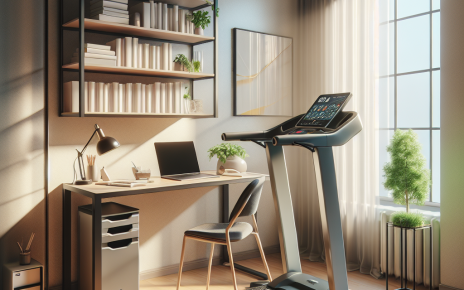
The Goplus 2 in 1 treadmill is designed for people who want versatility. It is a hybrid machine. That means it combines two types of exercise in one. You can use it for under-desk walking while you work. Or you can use it for running with a handrail. This makes it a great choice for small homes or offices. You get the benefits of walking and running without needing two machines. Let’s dive into the details of this innovative treadmill.
What is a 2 in 1 Treadmill?
A 2 in 1 treadmill is a special kind of fitness equipment. It offers two functions in one machine. First, it can be a traditional treadmill for running. Second, it can be an under-desk walking treadmill. This dual functionality is a big advantage for many users. You can walk slowly while you type or take calls. Then, when you want a more intense workout, you can switch to running mode. This flexibility is what makes a 2 in 1 treadmill so popular.
Why choose a 2 in 1 treadmill? Here are some key advantages:
- Space Efficiency: You only need one machine instead of two. This is great for small apartments or home offices.
- Versatility: You can tailor your exercise to your needs. Need a light walk? Use it under your desk. Want to run? Raise the handrail and go.
- Convenience: You can stay active without going to the gym. It promotes an active lifestyle right at home or work.
- Cost-Effective: Buying one machine that does two things can save you money.
These benefits make 2 in 1 treadmills a smart choice for many people. The Goplus 2 in 1 treadmill is one of the best options on the market. It offers all these advantages and more. Let’s look at its key features in detail.
Key Features of the Goplus 2 in 1 Treadmill
The Goplus treadmill stands out because of its excellent features. Here are the main things that make this machine special:
Dual-Mode Walking and Running Capabilities
This is the core feature of the dual mode walking and running treadmill. The Goplus model lets you switch between walking and running easily. For walking, it has a speed range up to 4 km/h (about 2.5 mph). This is perfect for a gentle stroll while you work. For running, you can increase the speed up to 12 km/h (about 7.5 mph). This gives you a good cardio workout. The transition between modes is smooth. You can adjust the speed with the remote control. This dual functionality means you can use the treadmill all day long.
Folding Design for Space-Saving
The Goplus treadmill is a best 2 in 1 folding treadmill. When you are done exercising, you can fold it up and store it away. This is a huge benefit for people with limited space. The folding mechanism is easy to use. You don’t need any tools. Just lift the deck and lock it in place. The folded size is compact. You can slide it under a bed or stand it in a closet. This makes it ideal for small apartments, dorm rooms, or office corners.
Remote Control Instructions
The treadmill comes with a remote control. This makes operation simple and convenient. You can change speed, start, or stop without bending down. The Goplus treadmill remote control instructions are straightforward. Here’s how to use it:
- Power On/Off: Press the power button to start or stop the treadmill.
- Speed Adjustment: Use the + and – buttons to increase or decrease speed.
- Mode Selection: Some models have a button to switch between walking and running modes.
- Emergency Stop: Familiarize yourself with the emergency stop feature. This is important for safety.
The remote uses batteries. If it stops working, try replacing the batteries. Keep the remote handy during your workout for easy adjustments.
Quiet Motor
The motor in the Goplus treadmill is designed to be quiet. This is important for under-desk use. You don’t want loud noise disturbing your work or calls. The motor runs smoothly at low speeds for walking. It also provides enough power for running. Users report that the noise level is acceptable for home or office use.
LED Display
The treadmill has an LED display that shows important metrics. You can see your speed, time, distance, and calories burned. This helps you track your workout progress. The display is easy to read, even in low light.
Safety Features
Safety is a priority. The treadmill includes a safety key. If you fall or step off, the key will pull out and stop the machine. This prevents accidents. The handrail provides stability during running. The non-slip belt surface gives you good traction.
These features make the Goplus 2 in 1 treadmill a well-rounded machine. It covers all the basics and adds extra convenience with the remote and folding design.
Comparison with Other 2 in 1 Treadmills
How does the Goplus model stack up against other 2 in 1 treadmills? Let’s compare it with some popular alternatives. This will help you see why the Goplus might be the best choice.
Goplus vs. Other Best 2 in 1 Folding Treadmills
Many brands offer folding 2 in 1 treadmills. Some well-known names include Sunny Health & Fitness, UREVO, and GYMAX. Here’s how Goplus compares:
- Price: The Goplus treadmill is often more affordable. It provides good value for money. You get dual functionality at a competitive price.
- Build Quality: User reviews praise the Goplus for being sturdy and durable. The frame is solid, and the belt runs smoothly.
- Features: Goplus includes a remote control, which some cheaper models lack. The folding mechanism is also user-friendly.
- Weight Capacity: The Goplus supports up to 220 lbs (100 kg). This is similar to many competitors. Check the weight limit if you are heavier.
- Warranty: Goplus offers a standard warranty. Compare warranty terms when choosing a treadmill.
Overall, the Goplus holds its own against other models. It may not have the most advanced features, but it delivers reliable performance at a good price.
Unique Selling Points of the Goplus Treadmill
What makes the Goplus stand out? Here are its unique selling points:
- Easy Mode Switching: Transitioning from walking to running is simple. You don’t need to adjust the machine physically. Just change the speed using the remote.
- Compact Folded Size: When folded, the treadmill takes up minimal space. This is a big plus for small living areas.
- User-Friendly Remote: The remote control is intuitive. Even beginners can operate the treadmill without confusion.
- Quiet Operation: The motor is quieter than some other budget treadmills. This makes it suitable for office environments.
These points make the Goplus a compelling option for anyone looking for a versatile treadmill.
Under Desk vs Running Treadmill Combo: What to Consider
Using a treadmill for both under-desk walking and running is a great idea. But there are things to consider before you buy. This section will help you think about the under desk vs running treadmill combo aspects.
Benefits of a Dual-Use Treadmill
Why combine under-desk walking and running? Here are the benefits:
- Increased Daily Activity: You can walk while working, adding steps to your day without extra time.
- Improved Health: Regular walking can boost circulation, reduce stress, and help with weight management.
- Better Focus: Some people find that light movement helps them concentrate better on tasks.
- Time Efficiency: You can get your workout done at home or work, saving travel time to the gym.
- Versatile Workouts: You can do low-intensity walking or high-intensity running on the same machine.
These benefits make a dual-use treadmill appealing for many lifestyles.
Considerations Before Buying
Before you purchase a 2 in 1 treadmill, think about these factors:
- Space Availability: Measure the area where you plan to use the treadmill. Make sure you have enough room for both under-desk walking and running. Remember to account for the handrail when raised.
- Noise Level: Consider how quiet the treadmill needs to be. If you use it in an office or shared space, a quiet motor is essential.
- Desk Height: For under-desk use, ensure your desk is at the right height. You should be able to walk comfortably without hunching over.
- Weight Capacity: Check the maximum user weight. Choose a treadmill that supports your weight safely.
- Floor Protection: Use a treadmill mat to protect your floors and reduce vibration.
Thinking about these points will help you choose the right treadmill for your needs.
Tips for Switching Between Walking and Running Modes
Switching modes safely is important. Here are some tips:
- Come to a Complete Stop: Always stop the treadmill before changing from walking to running or vice versa. This prevents accidents.
- Adjust Speed Gradually: When starting a run, begin at a low speed and increase slowly. This gives your body time to adjust.
- Use Handrails for Stability: When running, hold the handrails for balance, especially if you are new to treadmill running.
- Wear Proper Shoes: Use supportive athletic shoes for both walking and running. This protects your feet and joints.
- Stay Hydrated: Keep water nearby, especially during longer running sessions.
Following these tips will make your workouts safer and more enjoyable.
Goplus Treadmill Remote Control Instructions
The remote control is a key feature of the Goplus treadmill. Knowing how to use it properly will enhance your experience. Here are detailed Goplus treadmill remote control instructions.
Getting Started with the Remote
First, insert batteries into the remote. Usually, it requires two AAA batteries. Make sure the batteries are fresh for reliable operation. Then, turn on the treadmill using the power button on the machine itself. Once the treadmill is on, the remote should be ready to use.
Basic Functions
The remote has several buttons. Here’s what each button does:
- Power Button: Turns the treadmill on or off. Press once to start, press again to stop.
- Speed Up (+): Increases the speed incrementally. Each press adds 0.1 or 0.2 km/h, depending on the model.
- Speed Down (-): Decreases the speed gradually.
- Mode Button (if available): Switches between walking and running programs. Some models have pre-set programs for different workouts.
- Start/Stop Button: Begins or pauses the belt movement.
To change speed while walking or running, simply press the + or – buttons. The LED display will show the new speed.
Advanced Features
Some Goplus treadmill remotes offer extra features:
- Program Selection: You might be able to choose from pre-set workout programs. These programs automatically vary speed and intensity.
- Time and Distance Setting: You can set a target time or distance. The treadmill will stop when you reach your goal.
- Calorie Tracking: The remote may allow you to input your weight for more accurate calorie calculations.
Refer to your user manual for specific details about your model’s remote features.
Troubleshooting Common Remote Issues
Sometimes the remote might not work as expected. Here are common problems and solutions:
- Remote Not Responding: First, check the batteries. Replace them if needed. Ensure the batteries are inserted correctly (+ and -). If the remote still doesn’t work, try resetting the treadmill by turning it off and on again.
- Buttons Sticking: If buttons are sticky, clean the remote with a dry cloth. Avoid using liquids that could damage the electronics.
- Intermittent Signal: Make sure there are no obstructions between the remote and the treadmill’s sensor. Also, avoid using the remote near other electronic devices that might cause interference.
- Speed Not Changing: If speed adjustments aren’t working, check if the treadmill is in a locked mode. Some models have a child lock feature. Consult the manual to disable it.
If problems persist, contact Goplus customer support for assistance.
Who Should Buy the Goplus 2 in 1 Treadmill?
This treadmill is not for everyone. It is designed for specific types of users. Here’s who will benefit most from the Goplus 2 in 1 treadmill:
Home Office Workers
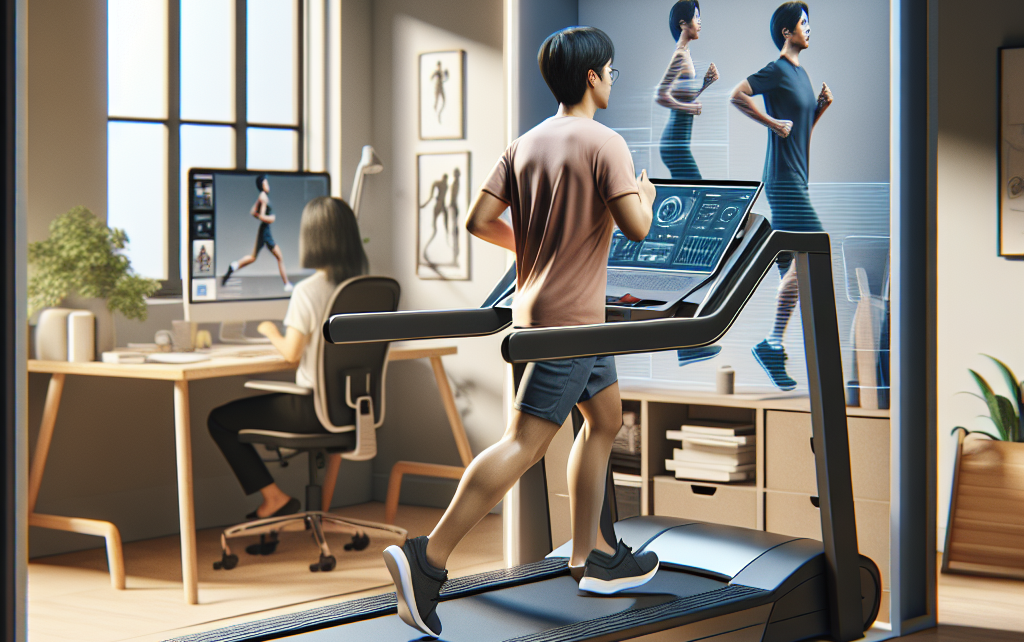
If you work from home, this treadmill is perfect. You can walk slowly while answering emails or attending virtual meetings. Then, after work, you can switch to running for a cardio session. This helps you stay active without leaving your home office.
Small Apartment Dwellers
Living in a small space means you need compact fitness equipment. The folding design of the Goplus treadmill makes it ideal. You can use it when you want and store it away when you don’t. It doesn’t take up much floor space.
Fitness Beginners
If you are new to exercise, a 2 in 1 treadmill is a gentle introduction. You can start with walking and gradually progress to running. The remote control makes it easy to adjust speed as you get fitter.
People Seeking Variety
Do you get bored with the same workout? The dual-mode capability adds variety. One day you can walk, another day you can run. This keeps your routine interesting and helps you stay motivated.
Budget-Conscious Buyers
The Goplus treadmill offers good features at an affordable price. If you want a versatile machine without spending a lot, this is a great option.
If you fit into any of these categories, the Goplus 2 in 1 treadmill could be a smart purchase.
How to Set Up Your Goplus 2 in 1 Treadmill
Setting up the treadmill is straightforward. Follow these steps to get started:
- Unbox Carefully: Remove all parts from the box. Check that you have all pieces, including the remote, safety key, and tools.
- Assemble the Frame: Follow the instruction manual to attach the handrail and console. Use the provided tools to tighten bolts securely.
- Install the Belt: The belt may need to be centered. Adjust the tension screws if the belt feels loose or slips.
- Insert Batteries: Put batteries into the remote control and the console if required.
- Place on a Level Surface: Position the treadmill on a flat, hard surface. Avoid carpets that are too thick, as they can affect stability.
- Plug In and Test: Plug the power cord into an outlet. Turn on the treadmill and test the remote control. Walk on the belt at a low speed to ensure everything works smoothly.
Take your time during setup. Proper assembly ensures safe and reliable operation.
Maintenance Tips for Your Goplus Treadmill
To keep your treadmill in good condition, perform regular maintenance. Here are some simple tips:
- Clean the Belt: Wipe the belt with a damp cloth to remove dust and sweat. Avoid harsh chemicals that could damage the surface.
- Lubricate the Deck: Some treadmills require deck lubrication every few months. Check your manual for specific instructions. Use silicone-based lubricant recommended by the manufacturer.
- Tighten Bolts: Periodically check and tighten any loose bolts or screws. Vibration from use can cause them to loosen over time.
- Check the Belt Alignment: If the belt drifts to one side, adjust the tension screws until it runs centered.
- Store Properly: If you fold the treadmill for storage, make sure it is locked in place. Keep it in a dry area away from moisture.
Regular maintenance extends the life of your treadmill and ensures safe workouts.
Frequently Asked Questions (FAQ)
Here are answers to common questions about the Goplus 2 in 1 treadmill:
Can I use the Goplus treadmill under a standing desk?
Yes, you can. Ensure your desk is high enough to allow comfortable walking posture. Your elbows should be at a 90-degree angle when typing.
How loud is the treadmill?
The Goplus treadmill is relatively quiet, especially at walking speeds. At higher running speeds, some motor noise is normal, but it is generally not disruptive.
What is the maximum weight capacity?
Most Goplus 2 in 1 treadmills support up to 220 lbs (100 kg). Check the product specifications for your specific model.
Does it come with a warranty?
Yes, Goplus typically offers a warranty. The length and coverage vary by model. Usually, there is a 1-year warranty on parts and labor.
Can I use it on carpet?
You can use it on low-pile carpet. However, for stability and to protect the carpet, consider placing a treadmill mat underneath.
How do I fold the treadmill?
To fold, lift the walking deck until it locks into an upright position. There is usually a locking mechanism to secure it. To unfold, release the lock and gently lower the deck.
Conclusion
The Goplus 2 in 1 treadmill is a versatile and space-saving fitness machine. It combines under-desk walking and running in one compact unit. With features like a remote control and folding design, it offers convenience and flexibility. Compared to other treadmills, it provides excellent value for money.
If you want to increase your daily activity, improve your health, and save space, this treadmill is worth considering. It is suitable for home office workers, apartment dwellers, beginners, and anyone seeking workout variety.
Ready to take the next step? Check out the Goplus 2 in 1 treadmill on Amazon or Walmart. Read user reviews to see how others have enjoyed it. Then, make your decision and start walking or running toward a healthier lifestyle today!